![s[3]decode](https://s3decode.com/wp-content/uploads/2026/05/logo-s3decode.png)
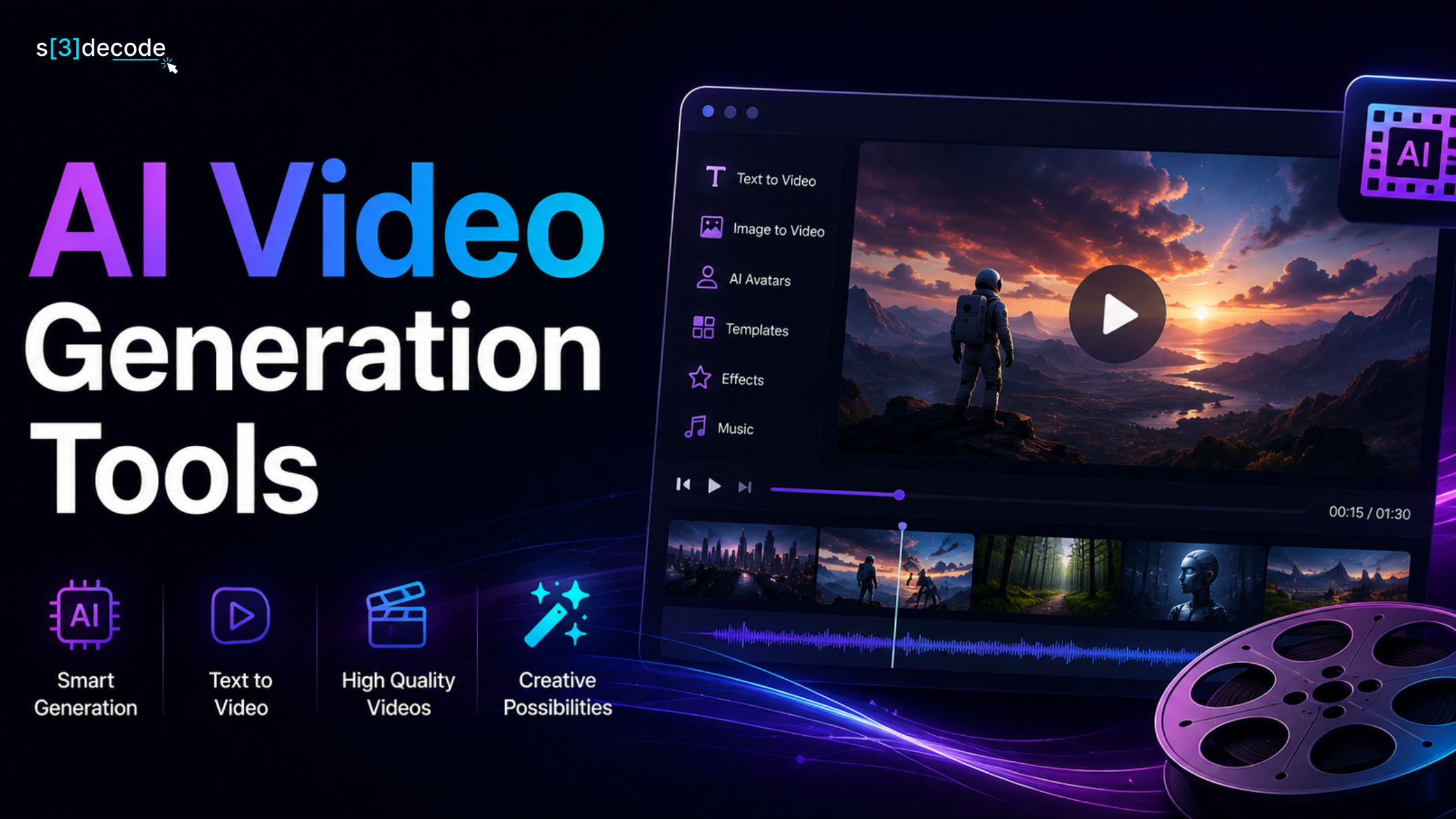
The Best AI Video Generation Tools are changing the way businesses, creators, and marketing teams produce content. Video has become the internet’s default language, and organizations that can create high-quality videos faster are gaining a significant advantage.
Whether you’re a creator trying to grow on YouTube, a startup launching products, an ecommerce brand running ads, or a global company producing training material, video is no longer optional.
The problem has never been creativity. The problem has always been production.
Traditional video creation is expensive, slow, and resource-intensive. Scripts need writers. Videos need cameras, editors, actors, voice artists, designers, and production teams. Even a simple marketing video can take weeks to create and thousands of dollars to produce.
AI video generation is changing that equation.
Today, businesses can generate commercials, social media content, training videos, explainer videos, product demos, avatars, and cinematic footage from simple prompts in minutes rather than weeks. But the AI video market has become crowded very quickly.
Every month, new tools claim to produce “Hollywood-quality” content. Some genuinely save time and money. Others create impressive demos but struggle in real production workflows.
After reviewing creator feedback, industry adoption, feature maturity, and commercial usability, these are the AI video generation tools worth considering in 2026.
How AI Video Generation Works
Most AI video generators follow a similar process, but the technology behind them has evolved dramatically in the last two years. Modern AI video models use combinations of:
- Large Language Models (LLMs) for understanding prompts
- Diffusion models for generating frames
- Transformer architectures for maintaining scene consistency
- Computer vision models for motion prediction
- Audio models for voice and synchronization
In simple terms, the AI converts text instructions into thousands of sequential image frames and then stitches them together into a coherent video sequence.
The better the model understands context, movement, lighting, and physics, the more realistic the final result becomes.
1. Runway – Best Overall AI Video Generation Platform
If there is one platform that has become the default choice for agencies, production studios, and professional creators, it is Runway.
Runway helped push AI video generation into mainstream creative workflows. Its latest generation models offer cinematic scene generation, image-to-video conversion, motion control, camera movement, and advanced editing features that make it feel closer to a creative studio than a simple AI tool.
What separates Runway from many competitors is control.
Creators can influence camera angles, scene composition, movement, transitions, and visual consistency far more effectively than with many prompt-only platforms.
Best For
- Marketing agencies
- Production studios
- Commercial advertising
- Product launches
- Brand campaigns
Strengths
- Professional-grade output
- Strong creative controls
- VFX capabilities
- Enterprise adoption
Ideal For
- Creative agencies
- Advertising teams
- Video production studios
- Enterprise marketing departments
- Professional creators
Limitation
Heavy users can consume credits quickly on larger projects.
2. Google Veo – Best for Realism and Natural Audio
The biggest challenge in AI video generation has always been realism.
- Objects move unnaturally.
- Physics break.
- Lip-sync feels wrong.
Google’s Veo changed expectations significantly. The platform produces some of the most realistic environments, human movement, and synchronized audio currently available in commercial AI video generation.
For filmmakers, advertisers, and premium content creators, Veo is increasingly becoming the benchmark for realism.
Ideal For
- Advertising agencies
- Filmmakers
- Brand storytelling teams
- Creative studios
- Premium commercial production
Strengths
- Highly realistic motion generation
- Strong understanding of prompts and cinematic scenes
- Natural audio generation capabilities
- Exceptional visual quality
Limitation
Currently less accessible than many mainstream AI video tools and may not fit high-volume content workflows.
3. Kling AI – Best Value for Money
If Runway is the agency favorite, Kling has become the creator favorite. Kling consistently delivers impressive visual quality while maintaining significantly lower entry pricing than many competitors.
For creators producing social videos, product visuals, music videos, and short-form content at scale, the value proposition is difficult to ignore. Many creators consider Kling the current sweet spot between quality, affordability, and ease of use.
Best For
- YouTube creators
- Marketing teams
- Social media agencies
- Ecommerce advertisements
Why It Stands Out
- Strong motion quality
- Affordable pricing
- Native audio support
- Longer clip generation
Strengths
- Excellent balance between quality and pricing
- High-quality motion rendering
- Supports longer video sequences
- Strong social media content capabilities
Limitation
Enterprise collaboration and editing features are still behind more mature platforms.
4. Synthesia – Best for Corporate Training Videos
Not every business needs cinematic video generation. Many companies simply need:
- onboarding videos
- employee training
- product tutorials
- internal communication
- multilingual content
This is where Synthesia dominates. Instead of generating cinematic scenes, Synthesia specializes in AI presenters and digital avatars capable of delivering scripts naturally in multiple languages.
Thousands of enterprises now use AI avatars instead of traditional studio recording for training content and internal communications.
Ideal For
- HR teams
- Learning departments
- Enterprise organizations
- SaaS onboarding
Strengths
- Industry-leading AI avatars
- Supports multiple languages
- Excellent for internal communications
- Highly scalable for enterprise training
Limitation
Not designed for cinematic storytelling or creative advertising campaigns.
5. HeyGen – Best for Personalized Video Outreach
Sales teams discovered something powerful: People respond to personalized videos.
Creating those videos manually, however, doesn’t scale. HeyGen allows businesses to create AI avatars, translate videos into multiple languages, clone voices, and generate personalized outreach videos without cameras or studios.
For sales, customer success, and marketing teams, this has become one of the most practical uses of AI video generation available today.
Popular Use Cases
- Sales outreach
- Customer onboarding
- Personalized marketing
- Product walkthroughs
Strengths
- High-quality avatar generation
- Strong localization capabilities
- Personalized video workflows
- Excellent for sales and customer success teams
Limitation
Creative video generation capabilities are limited compared to dedicated text-to-video platforms.
6. Pika – Best AI Video Tool for Beginners
Many AI video tools require experimentation before users see useful results. Pika focuses on simplicity.
The interface feels approachable, generation is quick, and the learning curve is far smaller than many competitors. This makes it particularly attractive for creators entering AI video generation for the first time.
Best For
- Beginners
- Small creators
- Social media managers
- Short-form content
Strengths
- Beginner-friendly interface
- Fast rendering times
- Easy prompt experimentation
- Suitable for short-form content
Limitation
Output quality may vary for complex scenes and longer videos compared to premium competitors.
7. Luma Dream Machine – Best for Image-to-Video Creation
Luma became popular because it solved a very specific problem exceptionally well: Turning still images into cinematic motion. Photographers, designers, and brands can transform static assets into moving visuals suitable for advertising and social media campaigns.
For businesses with large image libraries, this dramatically reduces production costs.
Ideal For
- Ecommerce brands
- Product marketers
- Creative agencies
- Photographers
- Social media teams
Strengths
- Excellent image-to-video conversion
- Realistic camera movement
- Strong visual quality
- Fast generation times
Limitation
Less suitable for avatar videos, training content, or business presentations.
8. InVideo AI – Best for Marketing Teams
Marketing teams don’t always need cinematic filmmaking tools. They need speed. InVideo focuses heavily on:
- Ads
- Explainers
- Social media videos
- Product videos
- Promotional campaigns
For businesses producing high volumes of content every month, workflow efficiency often matters more than visual perfection.
Ideal For
- Marketing teams
- Small businesses
- Agencies
- Ecommerce brands
- Content creators
Strengths
- Large template library
- Fast production workflows
- Minimal learning curve
- Built for marketing use cases
Limitation
Creative flexibility is more limited compared to tools such as Runway or Veo.
9. Descript – Best for Editing Existing Content
Descript solves a different problem. Instead of generating videos from prompts, it simplifies editing. Users can edit videos by editing text transcripts, automatically remove filler words, create clips, generate subtitles, and repurpose long-form content into short videos.
For podcasters and YouTubers, it can save dozens of hours every month.
Ideal For
- YouTubers
- Podcasters
- Video editors
- Marketing teams
- Content repurposing workflows
Strengths
- Edit video through text transcripts
- Automatic subtitle generation
- Removes filler words automatically
- Excellent podcast workflow support
Limitation
Not designed for text-to-video generation or cinematic AI content creation.
Types of AI Video Generation Tools
AI video generation is not a single technology. Different tools are designed for different stages of video production—from creating an entire scene from a written description to turning an existing photograph into a moving sequence.
Understanding these categories is more useful than simply comparing tool names because the right type of AI video generator depends on what you are starting with and what you want to produce.
1. Text-to-Video Tools
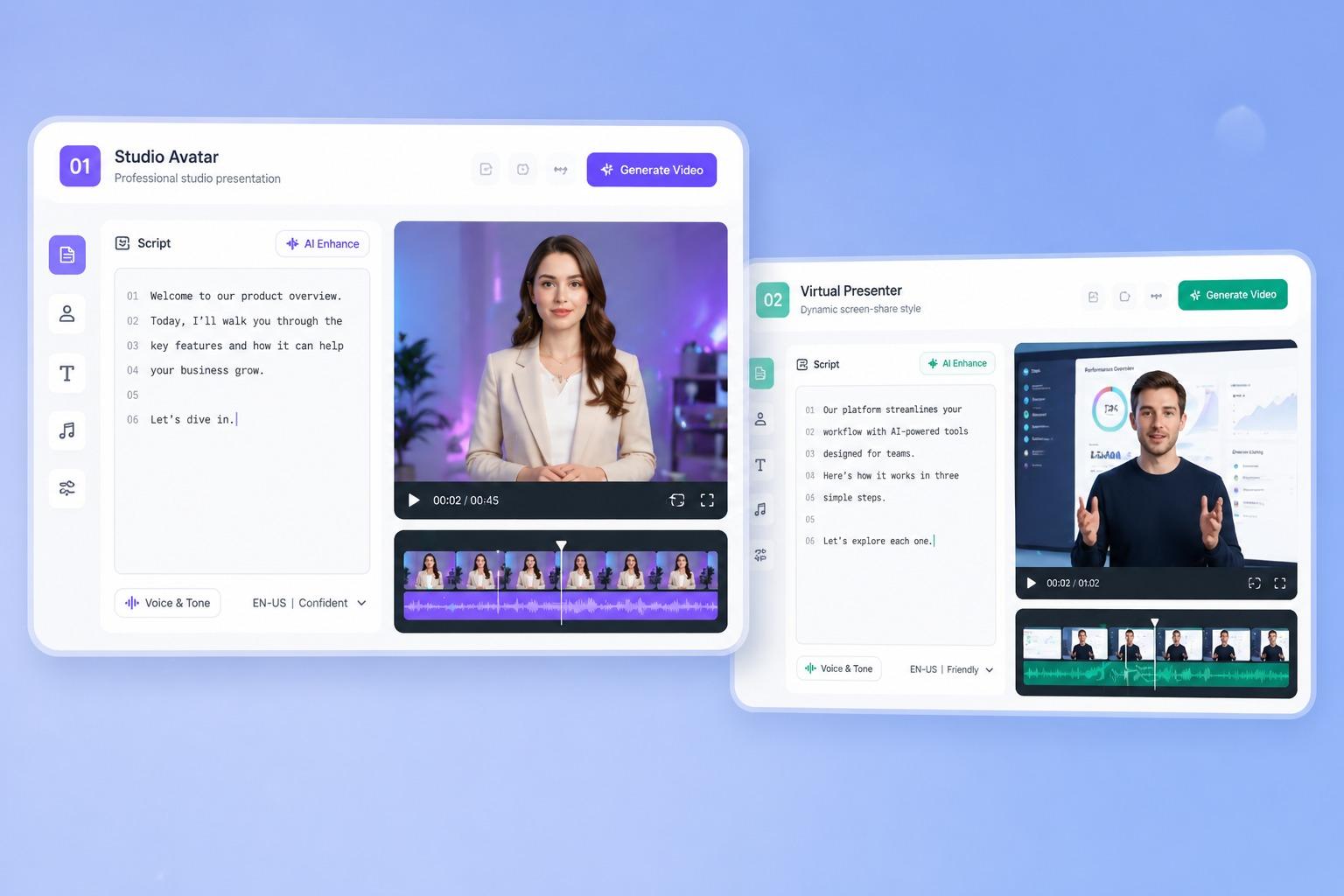
Text-to-video AI tools create video scenes from written descriptions. You start with a prompt describing the subject, environment, movement, camera angle, lighting, visual style, or overall mood. The AI interprets that description and generates a video sequence.
For example, you could describe:
“A cinematic aerial shot of a modern city at night, with traffic moving through wet streets after rainfall and reflections from neon signs.”
Instead of filming that scene, the AI attempts to create it digitally.
The technology is particularly useful when you need footage that would otherwise be expensive, difficult, or impossible to shoot. A marketing team can visualize a product concept, a filmmaker can experiment with a scene, and a social media creator can produce short visual sequences without a camera crew.
What they typically generate:
- Short cinematic scenes
- Product visuals
- Advertising concepts
- Social media clips
- Storytelling sequences
- Concept videos
- B-roll-style footage
- Creative visual effects
The biggest limitation is consistency. Generating one impressive scene is easier than generating a 60-second story in which the same person, clothing, location, objects, and visual style remain consistent from beginning to end.
2. Avatar Video Platforms
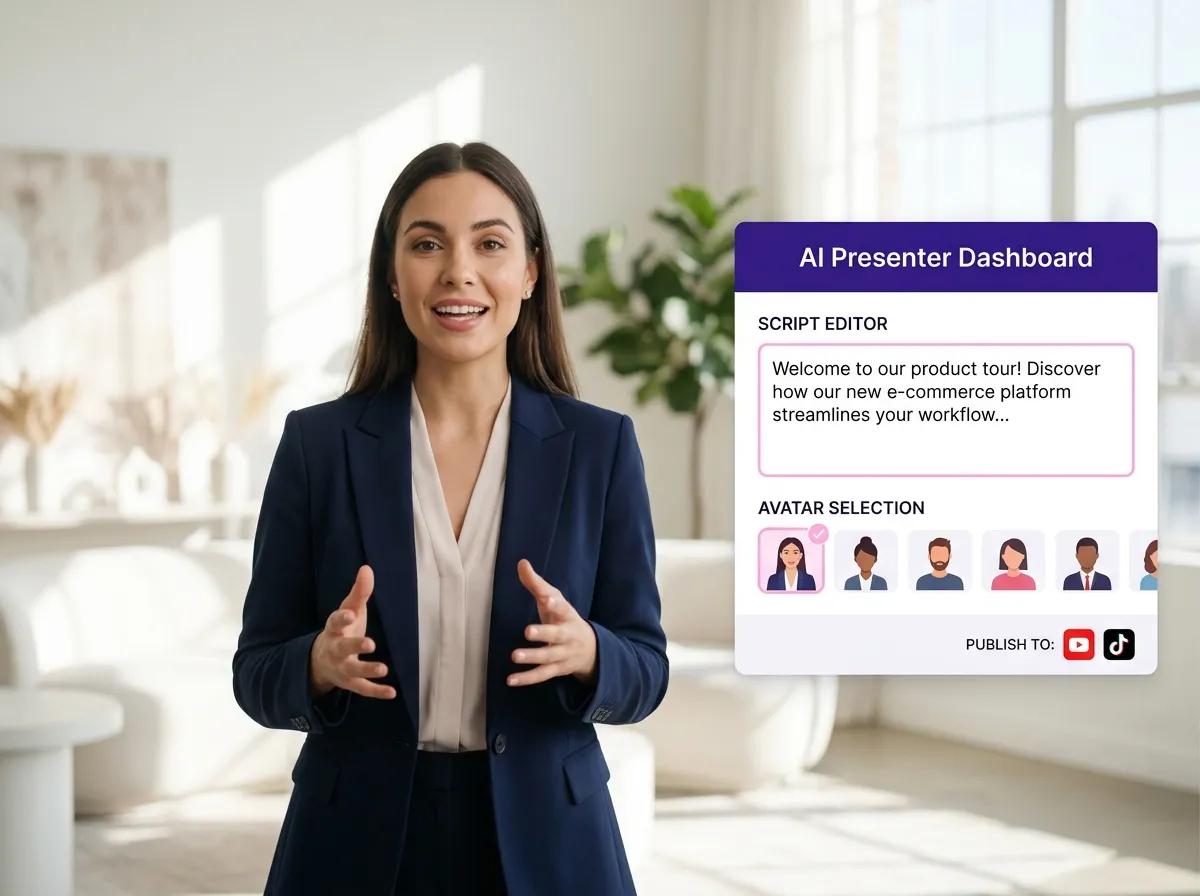
Avatar video platforms create videos around an AI-generated or digital human presenter.
Instead of generating an entire fictional scene, these systems focus on the person delivering the message.
You typically provide a script, select an avatar or create a customized digital presenter, choose a voice and language, and the platform generates a presenter-led video.
Imagine a company needs a five-minute employee onboarding video.
Traditionally, someone would need to:
- Write the script.
- Hire or record a presenter.
- Set up lighting and audio.
- Record multiple takes.
- Edit the footage.
- Create different versions for different languages.
An avatar platform can automate much of this process.
The result usually looks more like a professional presenter speaking directly to the viewer than a cinematic AI-generated movie.
These tools are especially useful for businesses because the content can be updated without organizing another filming session.
For example, if the company changes its onboarding process, you can modify the script and generate a new version.
Common uses include:
- Employee training
- Customer onboarding
- Product demonstrations
- Internal communications
- Sales presentations
- Educational content
- Corporate announcements
- Multilingual videos
The main tradeoff is realism versus control. Modern avatars can look convincing, but they generally aren’t intended to replace cinematic actors or create complex physical performances.
3. Image-to-Video Platforms
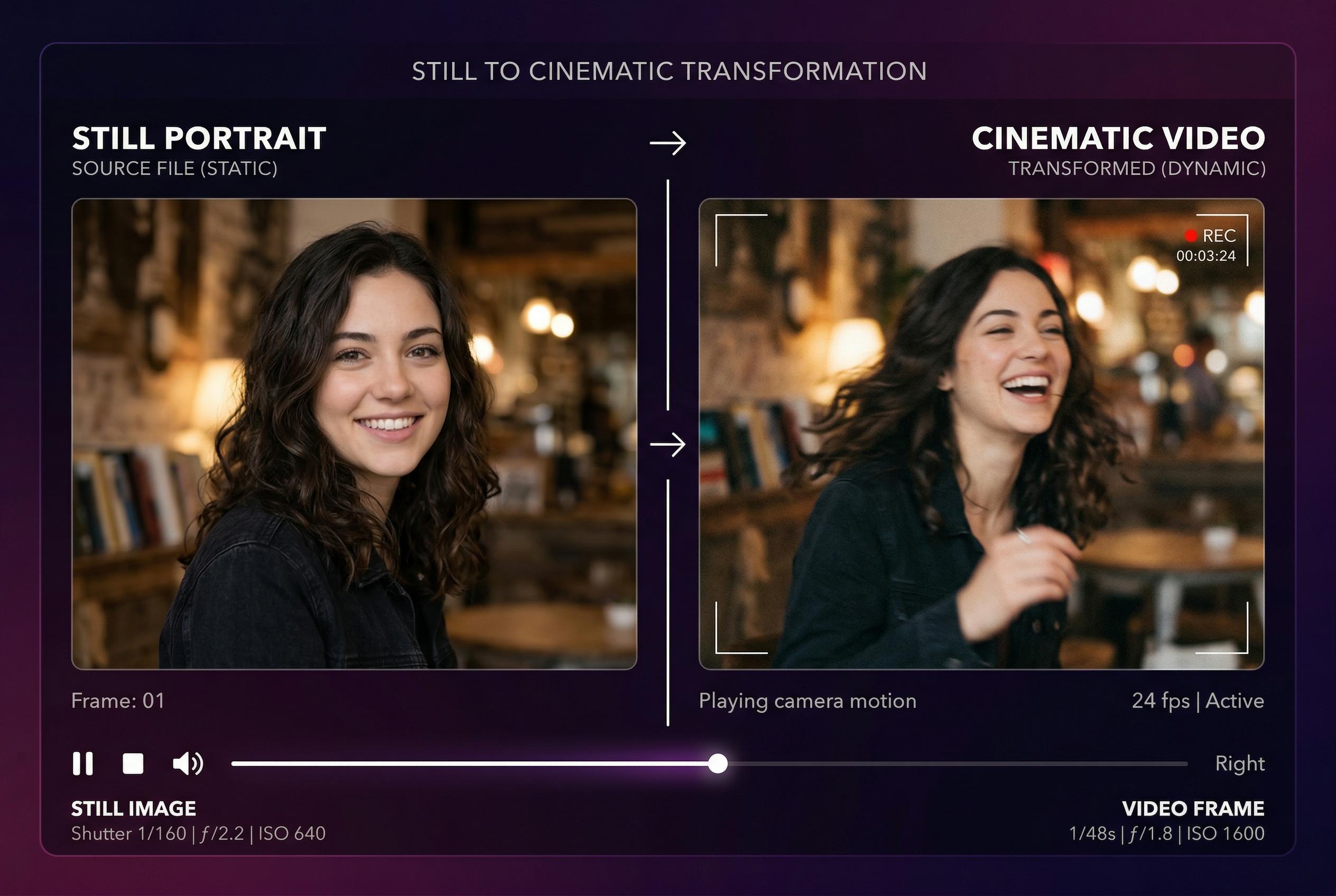
Image-to-video AI tools take a static image and turn it into a moving video sequence. Instead of starting with nothing, you give the AI a visual reference. That could be:
- A product photograph
- A character illustration
- A landscape
- A fashion photograph
- A marketing image
- A generated AI image
You then describe how you want the image to move. For example:
“Slowly push the camera toward the product while the background lights move softly.”
The AI generates motion while attempting to preserve the main visual elements from the original image. This category is particularly useful for marketers because creating a high-quality product image is often easier than producing an entire product video.
A company could photograph a product once and then create several short animated variations for social media advertisements. Photographers can also use image-to-video generation to add subtle camera movement, environmental motion, or cinematic effects to otherwise static images.
Common applications include:
- Product advertisements
- Social media content
- Animated photographs
- Fashion campaigns
- Real estate visuals
- Digital artwork
- Music visuals
- Short promotional clips
The biggest challenge is that the AI has to invent movement that wasn’t present in the original image. If the requested movement is complicated, objects may distort or change unexpectedly.
4. AI Video Editing Platforms
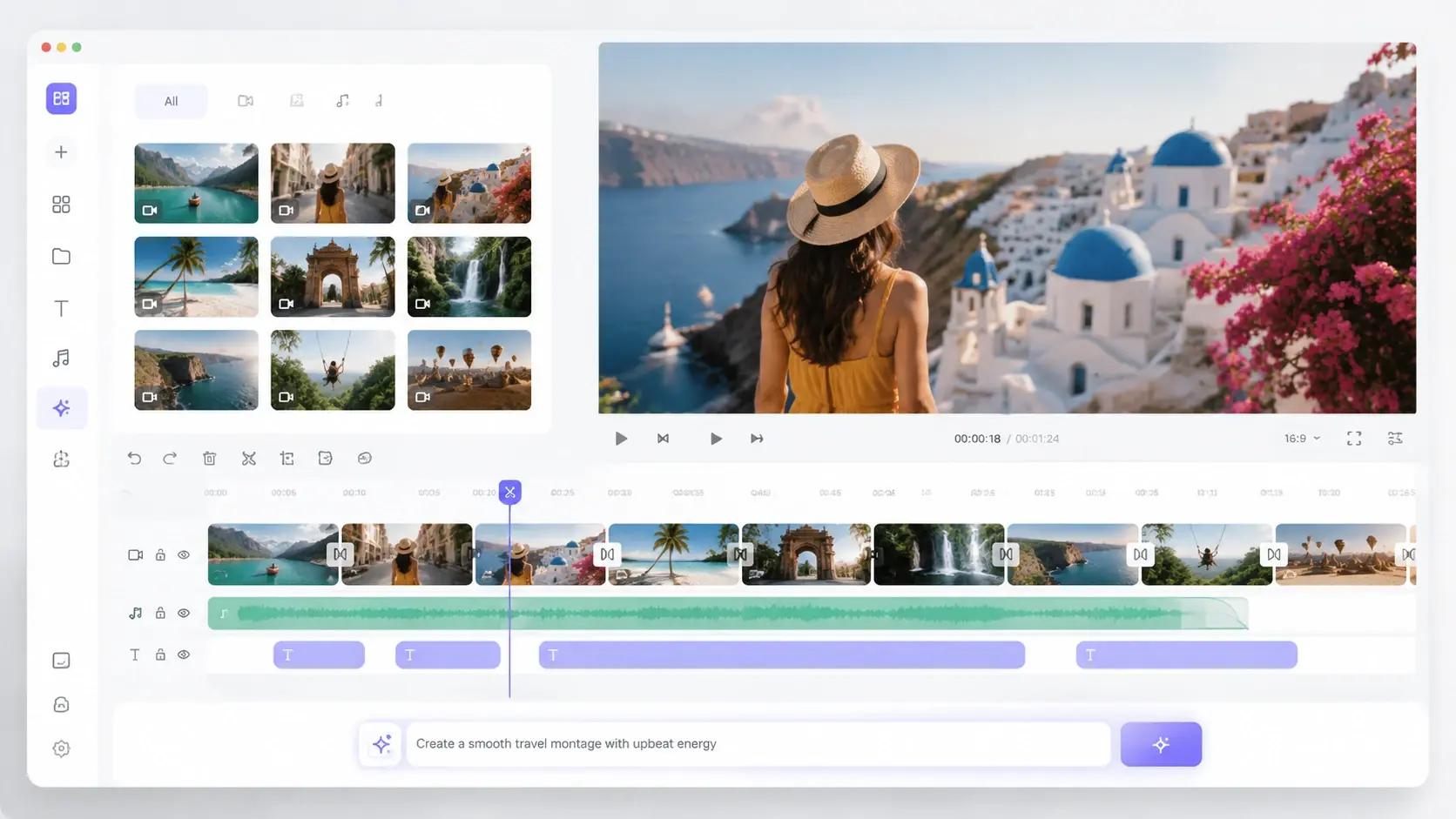
Not every AI video tool creates footage from scratch.
Some work with videos you already have and use AI to make editing faster.
These platforms can analyze recorded footage, identify important sections, remove unwanted portions, generate captions, improve audio, change backgrounds, or transform long-form content into shorter clips.
For example, imagine you record a 60-minute podcast.
Instead of manually watching the entire recording to find useful moments, an AI editing system can analyze the transcript and identify sections that may work as short-form clips.
You can then turn one long recording into:
1 podcast → 5 YouTube clips → 10 social videos → several quote graphics
This makes AI editing particularly valuable for content teams that already produce video but don’t want to spend hours editing every piece manually.
Common capabilities include:
- Automatic subtitles
- Transcript-based editing
- Silence removal
- Background removal
- Audio enhancement
- Highlight detection
- Short-form clip creation
- Video resizing
- Scene detection
- Content repurposing
The major advantage is time savings rather than completely automated video creation.
5. AI Video-to-Video Transformation Tools
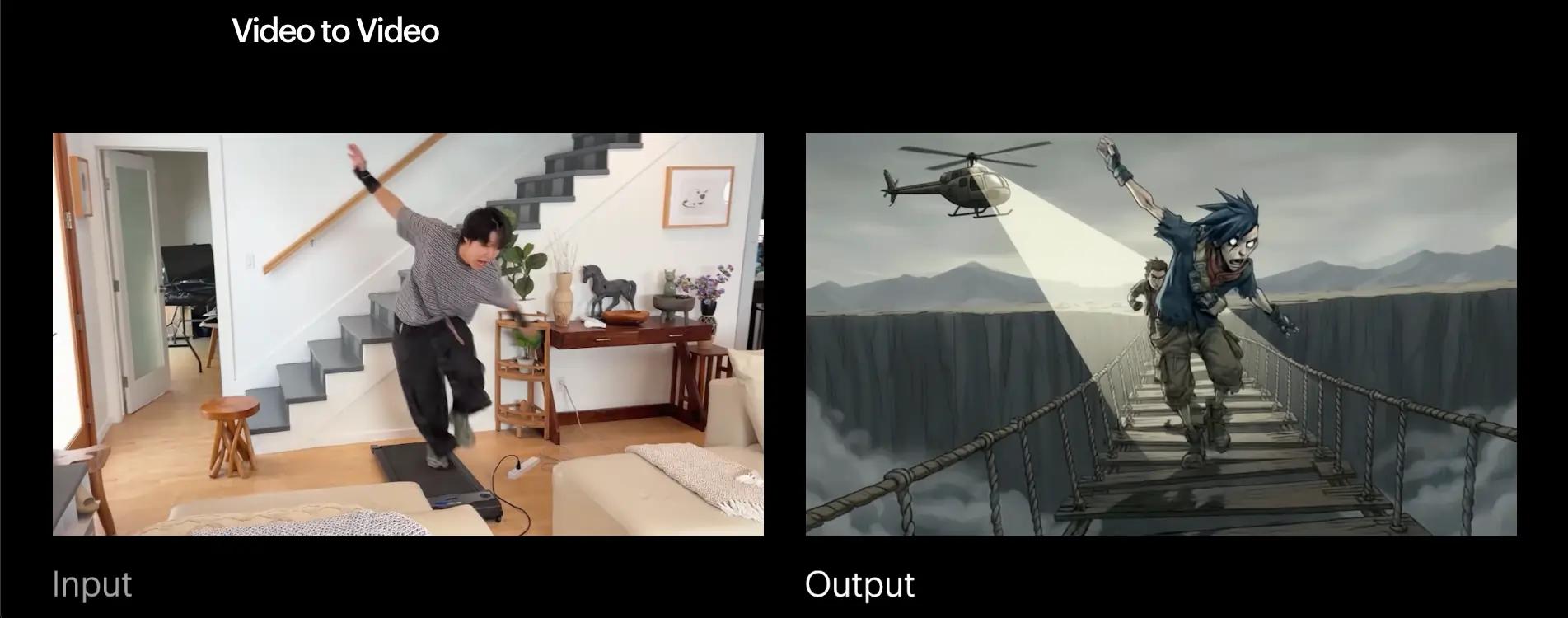
Another category works by transforming existing video rather than generating an entirely new video.
You provide a source video and use AI to change its appearance, environment, style, or certain visual elements.
For example, an original performance could potentially be transformed into a stylized animation, or a scene could be given a different visual treatment while preserving some of the original movement.
This can be particularly powerful because the original footage already contains movement and timing. The AI doesn’t have to invent every action from scratch.
However, maintaining visual consistency across multiple frames remains challenging. Small changes in faces, hands, objects, or backgrounds can become noticeable when the video is played.
6. AI Animation and Character Generation Tools
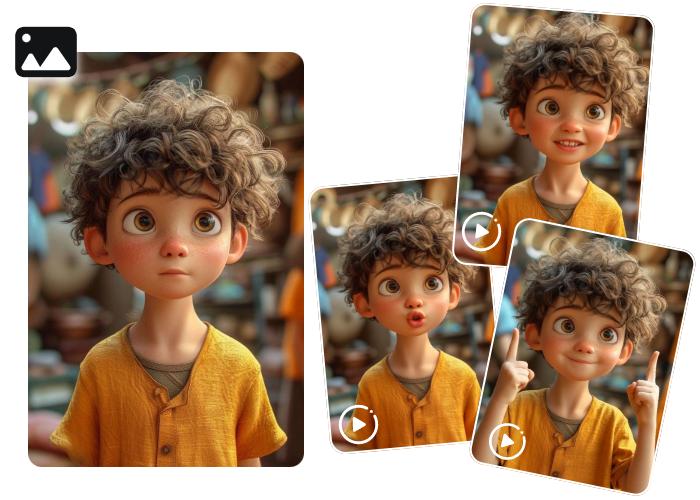
These tools focus on creating or animating characters, illustrations, and fictional worlds.
Rather than producing a realistic business presenter or a generic cinematic scene, the goal is often to create characters that can perform specific actions or appear in animated environments.
They can be useful for:
- Animated stories
- Children’s content
- Games
- Character concepts
- Educational videos
- Social media characters
- Motion storytelling
The challenge here is maintaining character identity and movement consistency across multiple scenes. A character that looks slightly different in every shot can quickly break the illusion of a continuous story.
Benefits of AI Video Generation for Businesses
The biggest value of AI video isn’t replacing creativity. It’s removing production bottlenecks.
Businesses using AI video generation typically benefit from:
- Faster production cycles
- Lower production costs
- Easier localization
- Increased content volume
- Faster campaign launches
- More personalized customer experiences
Many companies that previously produced a few videos each quarter can now publish content weekly or even daily.
How Much Do AI Video Generation Tools Cost?
Pricing varies significantly depending on quality, generation limits, and commercial usage rights.
| Tool Category | Typical Pricing |
|---|---|
| Entry-Level Creator Tools | $10–30/month |
| Professional Creator Platforms | $30–100/month |
| Business Solutions | $100–500/month |
| Enterprise AI Video Platforms | Custom Pricing |
For comparison, a single professionally produced marketing video often costs between $2,000 and $20,000.
This cost difference is one of the primary reasons businesses are rapidly adopting AI video workflows.
Which AI Video Tool Should You Choose?
| If your goal is… | Recommended Tool |
|---|---|
| Cinematic commercials | Runway |
| Maximum realism | Google Veo |
| Best price-to-quality ratio | Kling AI |
| Corporate training videos | Synthesia |
| Personalized video outreach | HeyGen |
| Social media content | Pika |
| Image animation | Luma Dream Machine |
| Marketing videos | InVideo AI |
| Podcast editing | Descript |
Are AI Videos Good Enough for Commercial Use?
In many cases, yes.
AI-generated video quality has improved significantly since the early days of distorted faces and unrealistic movement.
Today, many businesses successfully use AI videos for:
- Product explainers
- Social media advertising
- Onboarding videos
- Employee training
- Localization
- Customer support content
However, large cinematic productions and high-end advertising campaigns still often combine AI with traditional production methods.
The future is likely to be hybrid rather than fully AI-generated.
Industries Benefiting Most from AI Video Generation
Some industries are seeing faster adoption than others.
Ecommerce
- Product demonstrations
- Ad creatives
- Promotional videos
SaaS
- Onboarding videos
- Tutorials
- Feature announcements
Education
- Lessons
- Learning modules
- Multilingual content
Healthcare
- Patient education
- Training content
Real Estate
- Virtual property tours
- Listing videos
- Neighborhood guides
Common Mistakes Businesses Make When Choosing AI Video Tools
Many companies buy AI video software based solely on hype.
Common mistakes include:
- Choosing cinematic tools for training videos
- Prioritizing features over workflows
- Ignoring commercial licensing restrictions
- Underestimating editing requirements
- Expecting one platform to solve every use case
The best AI video platform is usually the one designed specifically for your content goals.
Future Trends in AI Video Generation
The next generation of AI video tools is likely to introduce:
- Real-time video generation
- Interactive AI videos
- Dynamic personalization
- Live multilingual translation
- Fully autonomous video production pipelines
- AI actors with persistent identities
The industry is moving from video generation toward intelligent video systems.
Looking for Custom AI Video Solutions?
Most AI video tools solve common content problems.
But larger organizations often require something more specialized — AI video workflows integrated into existing systems, personalized video generation at scale, multilingual content pipelines, or custom AI media applications.
S[3]Decode helps businesses design and build AI-powered video solutions tailored to their workflows, products, and customer experiences.
Whether you’re exploring AI avatars, automated video generation, personalized content engines, or enterprise AI media workflows, custom development often becomes the next step once off-the-shelf tools reach their limits.
Final Thoughts
The question is no longer whether AI can create video.I t can. The real question is which type of video you need to create.
Some tools are optimized for filmmakers.
Others are built for sales teams.
Some focus on training, while others prioritize advertising or social media.
The winners in 2026 are not using one AI video platform for everything. They’re building workflows.
A creator might use Kling for visuals, ElevenLabs for voiceovers, Descript for editing, and HeyGen for localization. A business might use Synthesia for training, InVideo for marketing, and Runway for campaigns.
FAQ
What is the best AI video generator in 2026?
Runway currently leads for professional creative workflows, while Synthesia dominates corporate video creation and Kling AI offers one of the strongest price-to-performance ratios.
Are AI-generated videos copyright safe?
Most commercial AI video platforms provide commercial usage rights, but licensing terms vary significantly between providers.
Can AI replace video editors?
AI reduces editing time dramatically but professional editors still play an important role in storytelling, pacing, branding, and quality control.
Which AI video tool is best for YouTube creators?
Kling AI, Runway, Descript, and Pika are among the most popular options for creators.
What is the cheapest AI video generator?
Pika and InVideo AI generally offer some of the lowest entry-level pricing for creators and small businesses.